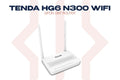
The Tenda N301 is a reliable N300 wireless router built for everyday home internet. Simple 3-step setup, stable connection, and solid coverage for apartments and small homes. Available at TechDukan.pk.
Where You'll Use This
- 🏠 Small apartment or flat — enough coverage for a 1–2 bedroom home without dead zones
- 🔧 Replacing an old or broken router — swap out your ISP's basic router for something more reliable in minutes
- 📚 Single room setup — a hostel room, study room, or shop counter that just needs solid internet
- 👨👩👧 First-time home Wi-Fi setup — simple 3-step process, ideal if you've never configured a router before
- 🏡 Guest house or spare room — an affordable, easy-to-manage Wi-Fi solution for a secondary space
Key Features
- ✅ N300 Wi-Fi Speed — 300Mbps for everyday browsing and streaming
- ✅ 3-Step Easy Setup — connect, open browser, done
- ✅ 2× External Antennas (5dBi) — stable signal throughout the home
- ✅ Universal Compatibility — works with any ISP in Pakistan
- ✅ Parental Controls — website filter, MAC filter and internet time limits
Specifications
| Specification |
Detail |
| Standard |
IEEE 802.11b/g/n |
| Speed |
300Mbps (2.4GHz) |
| Antennas |
2× 5dBi external |
| Ports |
1× WAN + 3× LAN (100Mbps) |
| WPS |
Yes |
📦 What's in the Box
📡
Router × 1
🔌
Power Adapter × 1
🔗
Ethernet Cable × 1
📖
Quick Start Guide × 1
🛒 Why Buy from TechDukan.pk?✅ 100% Original — Official Authorized Dealer in Pakistan
🚚 Cash on Delivery — Available Nationwide
🛡️ Official Warranty Included on Every Purchase
📦 Fast Delivery — 2 to 5 Business Days
📲 WhatsApp Support:
+92 322 8218388
Frequently Asked Questions
Will the Tenda N301 work with my PTCL, StormFiber, or Nayatel connection? ⌄
Yes. The N301 works with all major Pakistani ISPs including PTCL, StormFiber, Nayatel and FiberNation. Connect it to your ISP's modem or ONT through the WAN port and follow the 3-step setup.
Is 300Mbps enough for a household in Pakistan? ⌄
For home plans up to about 50Mbps, yes: browsing, WhatsApp, YouTube and light gaming run comfortably. For more devices and faster 5GHz Wi-Fi, choose the dual-band Tenda AC5. For plans above 100Mbps, choose a router with Gigabit ports such as the Tenda TX9.
How do I set up the N301 without a CD or app? ⌄
Setup is done entirely through a web browser — no CD or app needed. Connect your device to the router via Wi-Fi or Ethernet cable, then open any browser and go to 192.168.0.1. The setup wizard will guide you through selecting your connection type and setting your Wi-Fi password in under 5 minutes.
Can the N301 connect to another Wi-Fi network wirelessly? ⌄
Yes. In WISP / client router mode, the N301 can connect wirelessly to an ISP network or another access point and share that connection, which is useful for extending coverage without running a cable.
Does the N301 support parental controls or device blocking? ⌄
Yes. The N301's web interface includes a client filter, MAC address filter and website filter, so you can block specific devices or sites and limit internet time. These are configured through the admin panel at 192.168.0.1.