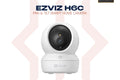
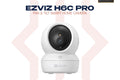
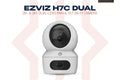
The EZVIZ H6c Pro 2K+ is a 4MP indoor pan & tilt Wi-Fi camera with 4x auto-zoom tracking, smart color night vision, a touch call button, and two-way audio. Keep an eye on your home, kids, or valuables from anywhere via the EZVIZ app. Available at TechDukan.pk Pakistan's authorized EZVIZ dealer.
Key Features
- ✅ 4MP (2K+) Resolution — 2560×1440, sharp, detailed footage
- ✅ 340° Pan / 55° Tilt — covers the whole room from one spot
- ✅ 4x Auto-Zoom Tracking — follows and zooms in on a moving person
- ✅ Smart Color Night Vision — color up to 5m, IR up to 10m
- ✅ Touch Call Button — a family member can call your phone with one touch
- ✅ Loud Noise & Human Detection — alerts for crying, alarms, and people
- ✅ Dual-Band Wi-Fi + Ethernet — 2.4/5GHz Wi-Fi or a wired RJ45 port
- ✅ USB Type-C Power — modern reversible connector
Specifications
| Specification |
Detail |
| Model |
CS-H6c-R105-1J4WF |
| Resolution |
4MP 2560×1440 — 2K+ |
| Pan / Tilt |
340° / 55° |
| Night Vision |
Smart color up to 5m, IR up to 10m |
| Connectivity |
Wi-Fi 2.4GHz / 5GHz, RJ45 10/100M |
| Power |
Type-C, DC 5V/2A, 8W max |
| Storage |
microSD up to 512GB / EZVIZ CloudPlay |
📦 What's in the Box
📷
Camera × 1
🏠
Mounting Plate × 1
🔌
Power Adapter × 1
⚡
Power Cable × 1
🔩
Screw Kit × 1
📋
Drill Template × 1
📖
Quick Start Guide × 1
🛒 Why Buy from TechDukan.pk?✅ 100% Original — Official Authorized Dealer in Pakistan
🚚 Cash on Delivery — Available Nationwide
🛡️ Official Warranty Included on Every Purchase
📦 Fast Delivery — 2 to 5 Business Days
📲 WhatsApp Support:
+92 322 8218388
🛡️ Official EZVIZ Warranty
This product carries a straight 2-year official warranty.
🔧 How to Install
- Choose a central spot in the room, ideally a shelf, wall bracket, or ceiling corner giving the widest view.
- Use the included drill template if wall/ceiling mounting, or simply place the camera on a flat surface for tabletop use.
- Connect the Type-C power cable to the adapter and plug into a nearby wall socket. Optionally plug in an Ethernet cable for a wired connection.
- Download the EZVIZ app, tap Add Device, and scan the QR code on the camera or its packaging.
- Connect the camera to your 2.4GHz or 5GHz Wi-Fi through the app. The band you pick during setup can't be changed later without re-adding the camera.
- Insert a microSD card (sold separately) if you want local recording, or set up EZVIZ CloudPlay.
- Adjust pan & tilt position and test motion alerts and the call button before finalizing placement.
✅ Installation Do's and Don'ts
- ✅ Do pick 2.4GHz if the camera is far from the router (better range), or 5GHz if it's close (less interference)
- ✅ Do place it high enough to cover the room but within easy reach for future cable/card adjustments
- ✅ Do use the included 5V/2A adapter; weak phone chargers can cause intermittent disconnects
- ❌ Don't place it facing a window during the day; backlighting will wash out the image
- ❌ Don't use this indoor model outdoors; it has no weatherproof rating
- ❌ Don't mount it in a Wi-Fi dead zone; test signal strength at the exact spot before permanently fixing it
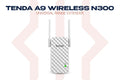
Pair with a Tenda A9 Wi-Fi Extender for strong signal. Browse the full EZVIZ Camera range at TechDukan.