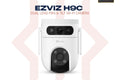
The EZVIZ H7c Dual is a dual-lens indoor pan & tilt Wi-Fi camera with two independent 2K+ lenses — wide-angle for full room coverage and telephoto for close-up detail. See everything from one camera. Available at TechDukan.pk — Pakistan's authorized EZVIZ dealer.
Where You'll Use This
- 🏠 Living room / lounge — keep an eye on the whole room plus zoom into a specific corner at the same time
- 👶 Nanny / maid cam — watch how your child or house help is doing while you're at work
- 👴 Checking on elderly parents — see if everything's fine at home from your phone
- 🏪 Shop or office counter — watch your cash counter up close while the wide lens covers the full floor
- 🐾 Pet monitoring — see what your pet is up to while you're out
Key Features
- ✅ Dual 2K+ Lenses — wide-angle + telephoto simultaneously
- ✅ 360° Pan & Tilt — complete room coverage
- ✅ AI Auto-Tracking — follows people through the frame
- ✅ Color Night Vision — full-color low-light on both lenses
- ✅ Two-Way Audio — speak and listen
- ✅ AI Human & Vehicle Detection — smart alerts
- ✅ Works with Alexa & Google Home
📦 What's in the Box
📷
Camera × 1
🏠
Mounting Base × 1
🔌
Power Adapter × 1
📖
Quick Start Guide × 1
🛒 Why Buy from TechDukan.pk?✅ 100% Original — Official Authorized Dealer
🚚 Cash on Delivery Nationwide
🛡️ Official Warranty
📲 WhatsApp:
+92 322 8218388
🛡️ Official EZVIZ Warranty
This product carries a straight 2-year official warranty.
🔧 How to Install
- Pick a central room location that gives both the wide lens and telephoto lens useful coverage.
- Place the camera on a shelf/tabletop, or wall-mount using the base and included screws.
- Connect the power adapter to a nearby socket.
- Add the camera in the EZVIZ app via QR code scan and connect to 2.4GHz Wi-Fi.
- In the app, set the telephoto lens to focus on your priority zone (e.g. main door, safe, till) while the wide lens covers the rest of the room.
- Test both live streams and confirm recording works on your chosen storage method.
✅ Installation Do's and Don'ts
- ✅ Do position it so the telephoto lens has a clear, unobstructed line to your priority zone
- ✅ Do keep it on 2.4GHz Wi-Fi — this model does not support 5GHz
- ❌ Don't install outdoors — this is an indoor-only camera with no weatherproofing
- ❌ Don't place both lenses facing the same exact spot — use the wide + tele combination purposefully
- ❌ Don't position facing direct window light — causes glare and washed-out footage
Store footage on a SanDisk microSD card. Browse the full EZVIZ Camera range at TechDukan.
Frequently Asked Questions
What is the advantage of having two separate lenses on one camera? ⌄
The dual-lens design means you get two independent video streams simultaneously — a wide-angle view covering the entire room and a telephoto view zoomed in on a specific area.
Can both lenses record and stream at the same time? ⌄
Yes. Both lenses operate independently and simultaneously, viewable side by side in the EZVIZ app.
Does the H7c Dual work on 5GHz Wi-Fi? ⌄
No, 2.4GHz only — which actually gives better range and wall penetration than 5GHz.
Is the H7c Dual suitable for outdoor use? ⌄
No. Indoor use only. For outdoor coverage, consider the EZVIZ H8c Pro or H9c Dual.