










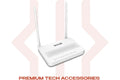
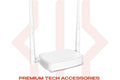
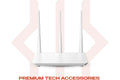




Ruijie Reyee RG-EW300N 300Mbps Wireless Smart Router
Rs.6,000.00 PKR
16% OFF
Sale price
Rs.6,000.00 PKR
Regular price
Rs.7,200.00 PKR
Skip to product information


Ruijie Reyee RG-EW300N 300Mbps Wireless Smart Router
Rs.6,000.00 PKR
16% OFF
Sale price
Rs.6,000.00 PKR
Regular price
Rs.7,200.00 PKR
🏷️ Bulk Order Discounts
| QUANTITY | DISCOUNT |
|---|---|
| BUY ANY 3–5 | GET 5% OFF |
| BUY ANY 6–9 | GET 7% OFF |
| BUY 10 OR MORE | GET 10% OFF |
✅ Discount auto-applied at checkout — no code needed
The Ruijie RG-EW300N is a compact N300 wireless router for home internet — reliable, easy to set up, and compatible with all Pakistani ISPs. Available at TechDukan.pk.
Key Features
- ✅ N300 Wi-Fi — 300Mbps for home browsing and streaming
- ✅ 2× External Antennas — stable coverage throughout the home
- ✅ Easy Setup — browser-based configuration in minutes
- ✅ Multiple ISP Modes — PPPoE, DHCP, Static IP all supported
- ✅ Guest Network — separate Wi-Fi for visitors
Specifications
| Specification | Detail |
|---|---|
| Speed | N300 (300Mbps 2.4GHz) |
| Antennas | 2× external |
| WAN Port | 100Mbps |
| LAN Ports | 3× 100Mbps |
| Modes | Router / Repeater / AP / WISP |
📦 What's in the Box
📡
Router × 1
Router × 1
🔌
Power Adapter × 1
Power Adapter × 1
🔗
Ethernet Cable × 1
Ethernet Cable × 1
📖
Quick Start Guide × 1
Quick Start Guide × 1
🛒 Why Buy from TechDukan.pk?✅ 100% Original — Official Authorized Dealer
🚚 Cash on Delivery Nationwide
🛡️ Official Warranty
📲 WhatsApp: +92 322 8218388
🚚 Cash on Delivery Nationwide
🛡️ Official Warranty
📲 WhatsApp: +92 322 8218388
Frequently Asked Questions
What is Ruijie and how does it compare to Tenda and TP-Link? ⌄
Ruijie (Reyee for consumer products) is a major Chinese networking brand primarily known for enterprise-grade switches and routers. Their consumer products apply the same engineering reliability to home networking at a similar price range to Tenda and TP-Link.
Will it work with PTCL or StormFiber? ⌄
Yes. Supports PPPoE (for PTCL), Dynamic IP, and Static IP — compatible with all major Pakistani ISPs. For StormFiber or Nayatel, connect to the ONT and it typically connects automatically via Dynamic IP.
Is 300Mbps enough for a typical Pakistani home? ⌄
For most Pakistani homes with plans under 100Mbps, yes. Handles WhatsApp, YouTube, remote work, and multiple devices without issues. For plans above 100Mbps or heavy simultaneous streaming, upgrade to the RG-EW300 PRO.
Can the RG-EW300N be used as a repeater? ⌄
Yes — supports repeater, AP, and WISP modes. In repeater mode it extends your existing Wi-Fi signal to areas with weak coverage without running any cable.
How do I access the settings? ⌄
Connect a device to the router's Wi-Fi, open any browser, and go to 192.168.110.1. The setup wizard guides you through connection type, ISP credentials, and Wi-Fi settings in under 5 minutes.